Full Commerce Platform

Sou9

A currency-aware Next.js storefront paired with a governed admin back office. 100% client-side architecture with zero backend latency.

Next.js 16.3 TypeScript Zustand Framer Motion Recharts
Download Technical Whitepaper

01 / The Storefront Experience

Cinematic UI & Motion

The storefront leverages Framer Motion to create a premium, dynamic feel. From the scroll-driven hero section to the spring-animated cart drawers, every interaction is designed to feel physical and immediate.
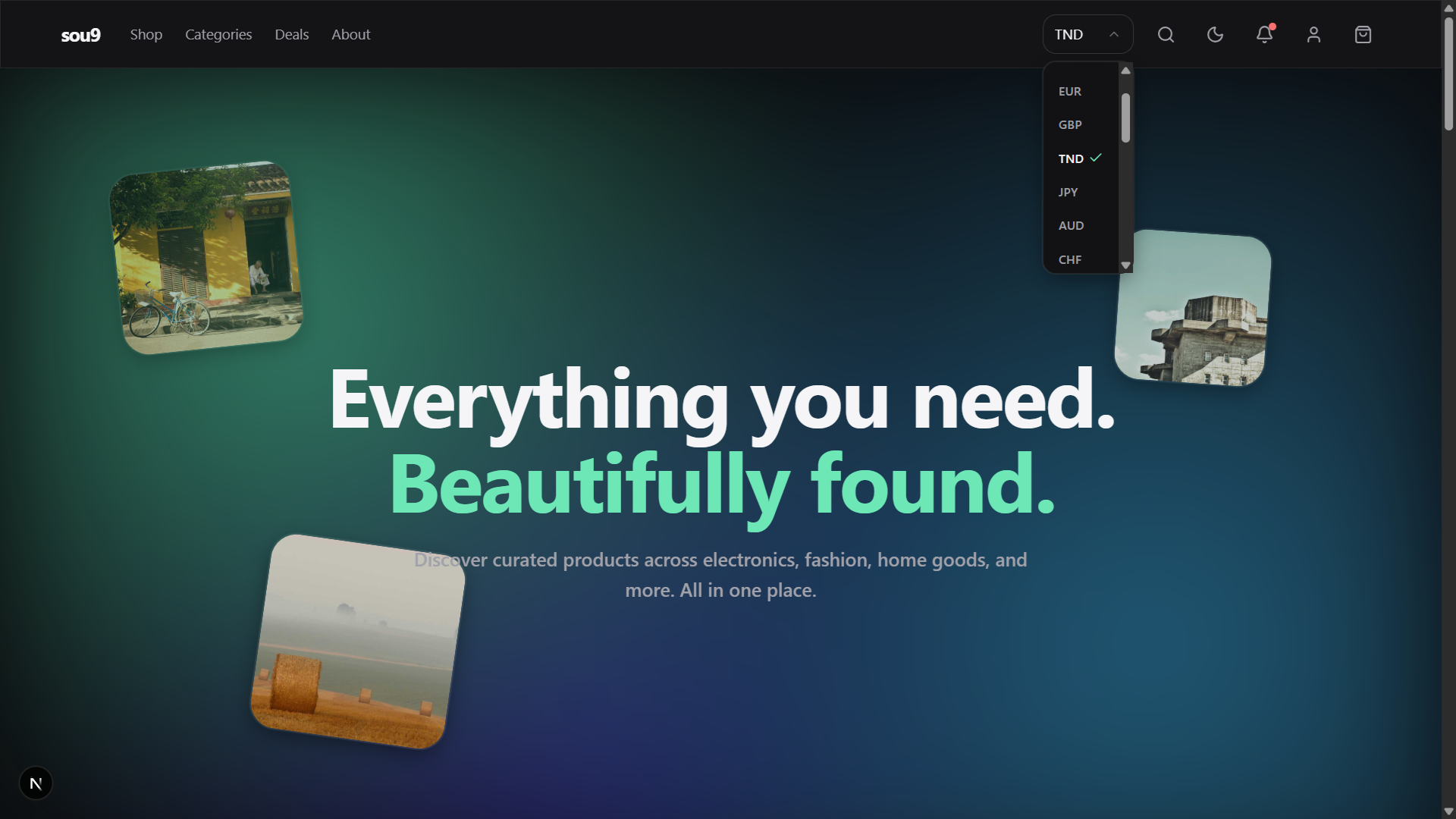
Sou9 Storefront Hero

The storefront hero section with a dynamic currency selector (TND detected via timezone).

Catalog & Quick View

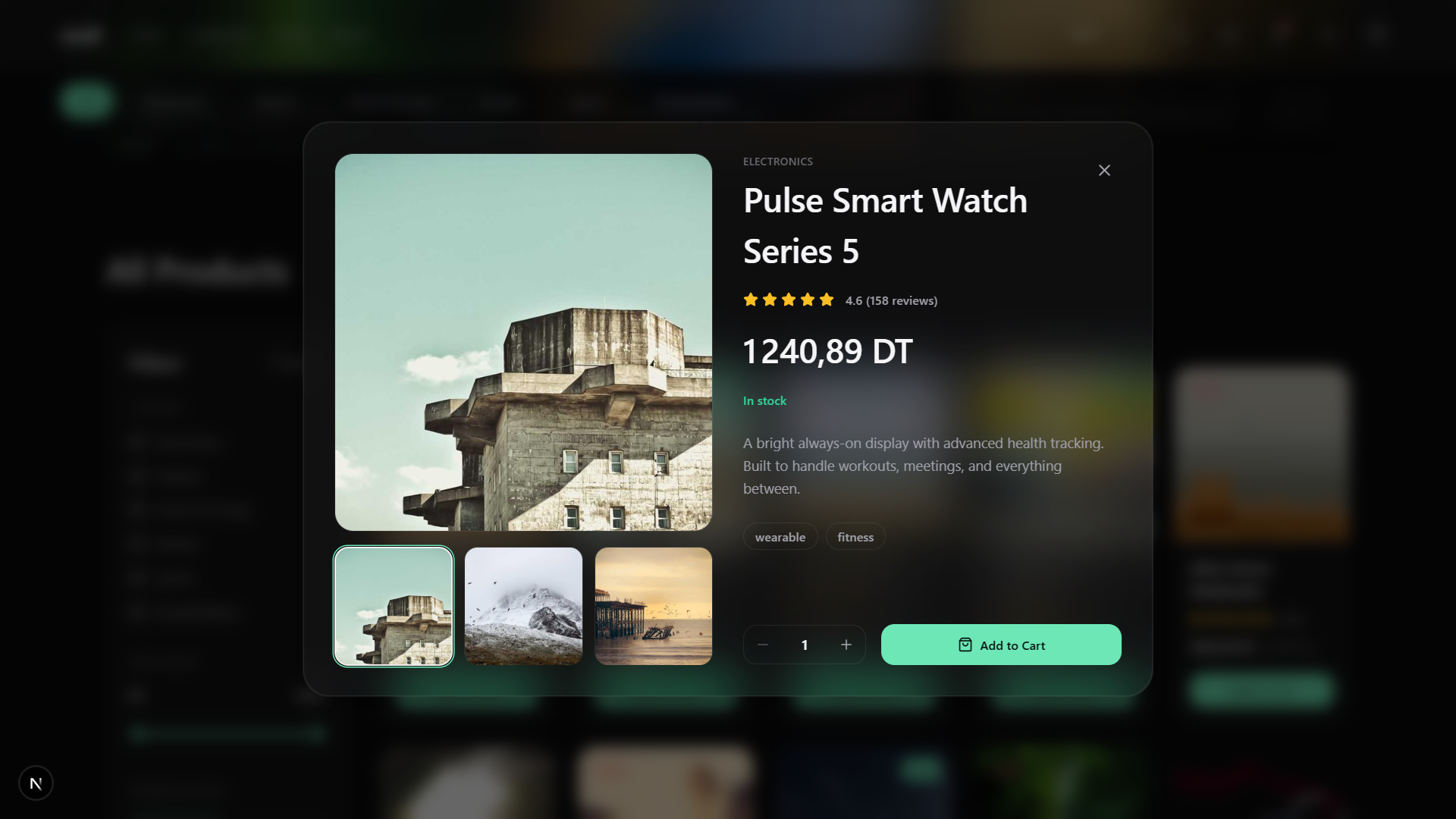
The catalog features 21 seeded products across 6 categories. The "Quick View" modal is built with a blurred glass-morphism overlay, allowing users to inspect product details and add to cart without losing their scroll position.
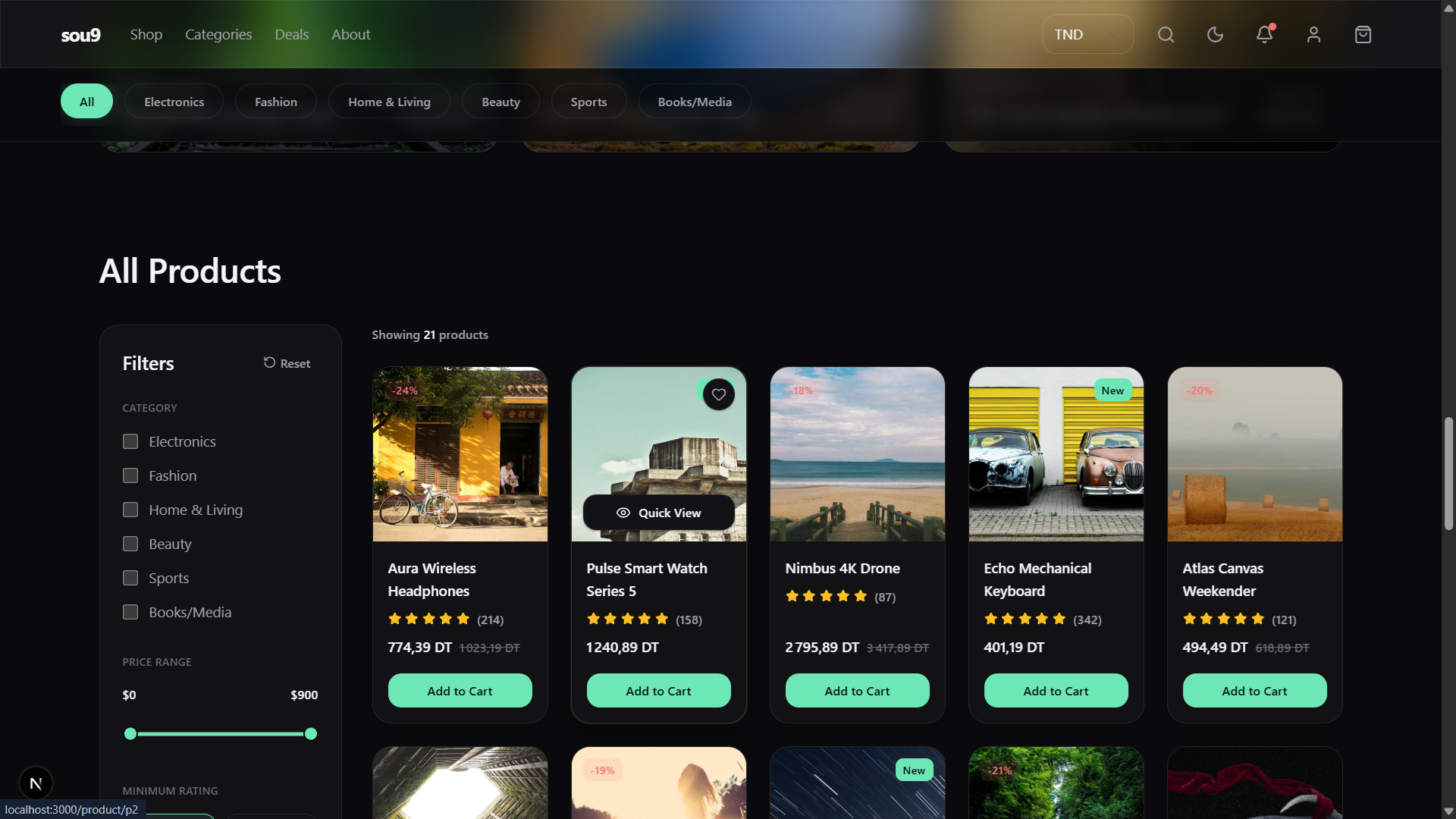
Sou9 Catalog
Sou9 Quick View Modal

02 / Strictly Typed Domain

The TypeScript Schema

Even though there is no backend, the data layer is treated with enterprise-grade strictness. The domain model is fully typed, ensuring that the UI components, the Zustand stores, and the mock data all speak the exact same language.

The `Product` interface defines 14 strict fields, including optional comparative pricing (`compareAtPrice`) and boolean flags for promotion logic (`isFeatured`, `isBestSeller`).

export interface Product {
  id: string;
  name: string;
  description: string;
  price: number;
  compareAtPrice?: number;
  category: Category;
  rating: number;
  reviewCount: number;
  stock: number;
  images: string[];
  tags: string[];
  isFeatured: boolean;
  isNew: boolean;
  isBestSeller?: boolean;
}

The Order Pipeline

Orders are typed using strict string literal unions. A status can only be `Processing`, `Shipped`, `Delivered`, or `Cancelled`. This prevents typos from breaking the UI or the analytics aggregations.

export interface Order {
  id: string;
  customerId: string;
  date: string;
  items: OrderItem[];
  total: number;
  status: "Processing" | "Shipped" | "Delivered" | "Cancelled";
}

export interface AnalyticsDay {
  date: string;
  revenue: number;
  sessions: number;
}

03 / The Timezone-Aware Currency Engine

Zero-Latency Geolocation

Instead of making an expensive, latency-heavy API call to a geolocation service, Sou9 detects the user's currency client-side. It reads the browser's timezone via `Intl.DateTimeFormat()` and maps it directly to a currency code.

export function detectCurrencyCode(): string {
  const options = Intl.DateTimeFormat().resolvedOptions();
  
  // 1. Try Timezone mapping (e.g. Africa/Tunis -> TND)
  if (options.timeZone && TIMEZONE_TO_CURRENCY[options.timeZone]) {
    return TIMEZONE_TO_CURRENCY[options.timeZone];
  }

  // 2. Fallback to Locale region (e.g. fr-TN -> TN -> TND)
  const region = (options.locale ?? "").split("-").pop()?.toUpperCase();
  if (region && COUNTRY_TO_CURRENCY[region]) {
    return COUNTRY_TO_CURRENCY[region];
  }
  
  return "USD"; // Safe fallback
}

Dynamic Intl Formatting

Once the currency is detected, formatting is handled natively by `Intl.NumberFormat`. The engine is smart enough to drop decimal places for zero-decimal currencies like the Japanese Yen (JPY) or Korean Won (KRW).

export function formatCurrency(amount: number, currencyCode: string): string {
  const code = EXCHANGE_RATES[currencyCode] ? currencyCode : "USD";
  const locale = CURRENCY_LOCALES[code] ?? "en-US";
  const zeroDecimals = code === "JPY" || code === "KRW";

  return new Intl.NumberFormat(locale, {
    style: "currency",
    currency: code,
    minimumFractionDigits: zeroDecimals ? 0 : 2,
    maximumFractionDigits: zeroDecimals ? 0 : 2,
  }).format(amount);
}

04 / Zero-Backend State Management

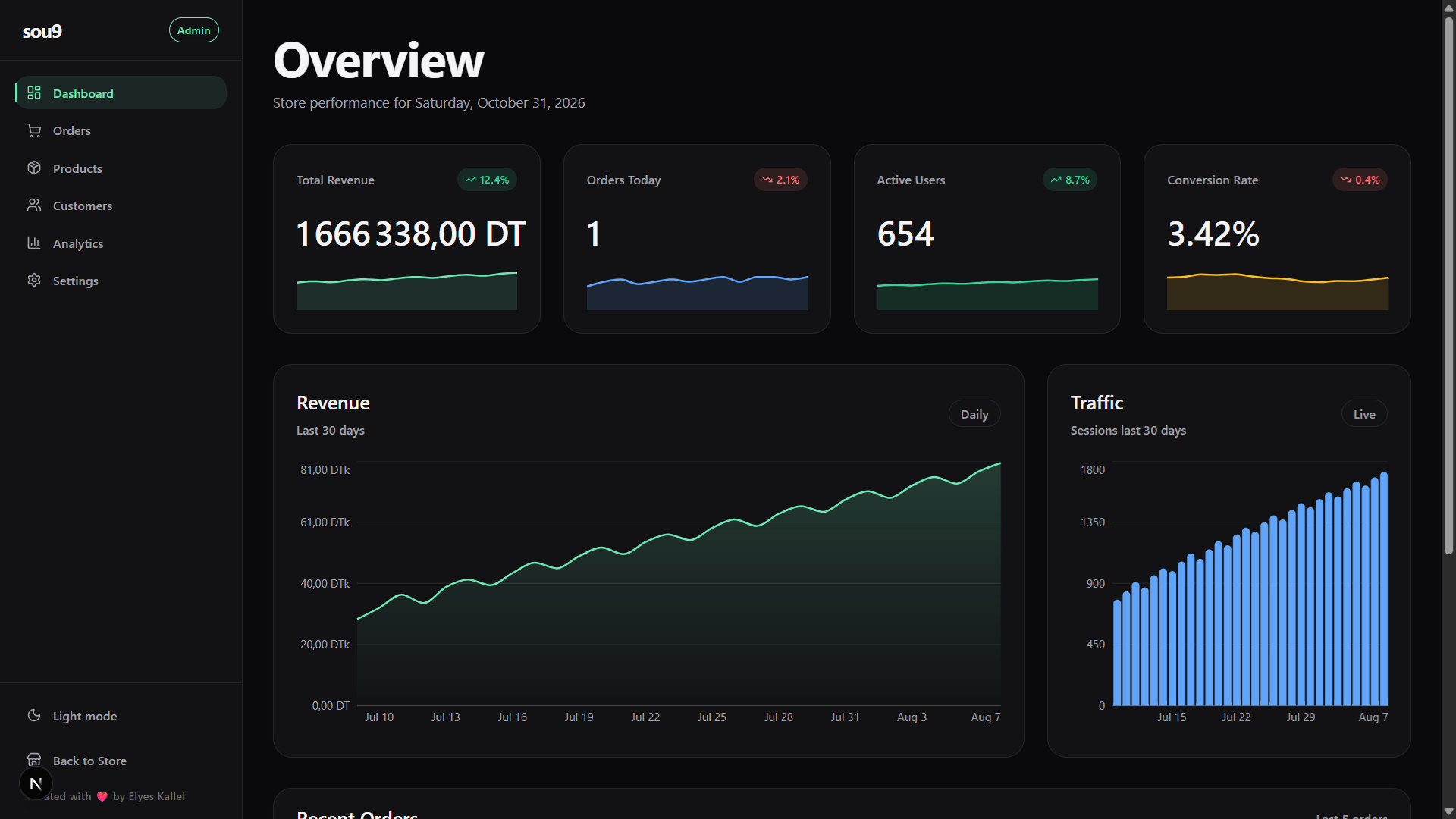
Admin Dashboard Overview

The Admin Dashboard, fully hydrated from LocalStorage.

Custom Hydration Pipeline

Sou9 has no database. To simulate a persistent backend, the `adminStore` uses a custom Zustand implementation that syncs with `localStorage`.

When a merchant edits a product or changes the hero images, it is immediately written to local storage. On page load, the `hydrateSettings()` action reads that storage and overwrites the default `mockData` seed.

hydrateSettings: () => {
  const storedHeroes = readStoredHeroImages();
  const storedProducts = readStoredProducts();

  set((state) => ({
    settings: storedHeroes
      ? { ...state.settings, heroImages: storedHeroes }
      : state.settings,
    products: storedProducts ?? state.products, // Overwrite seed
  }));
}

05 / The Admin Command Center

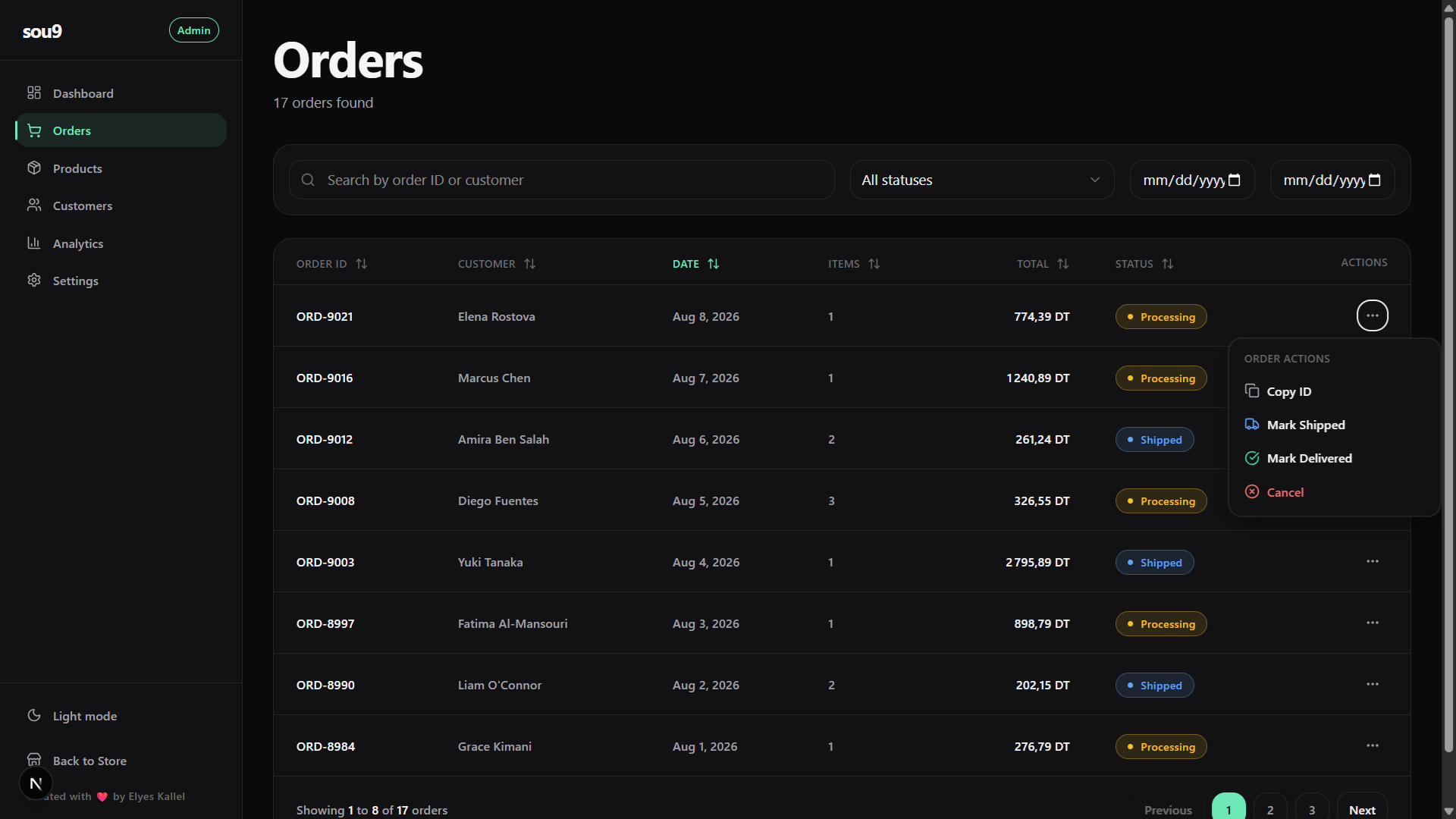
Admin Orders Table

The orders table with dynamic status badges, inline actions, and search filtering.

Orders & Customer Management

The admin panel provides a fully-featured back office. The Orders table is equipped with sorting, searching, date filtering, and status updates (Processing, Shipped, Delivered) that instantly reflect across the app.

Because everything is client-side, these updates are instantaneous. There is no network latency, no loading spinners, and no API rate limits.

Data Visualization with Recharts

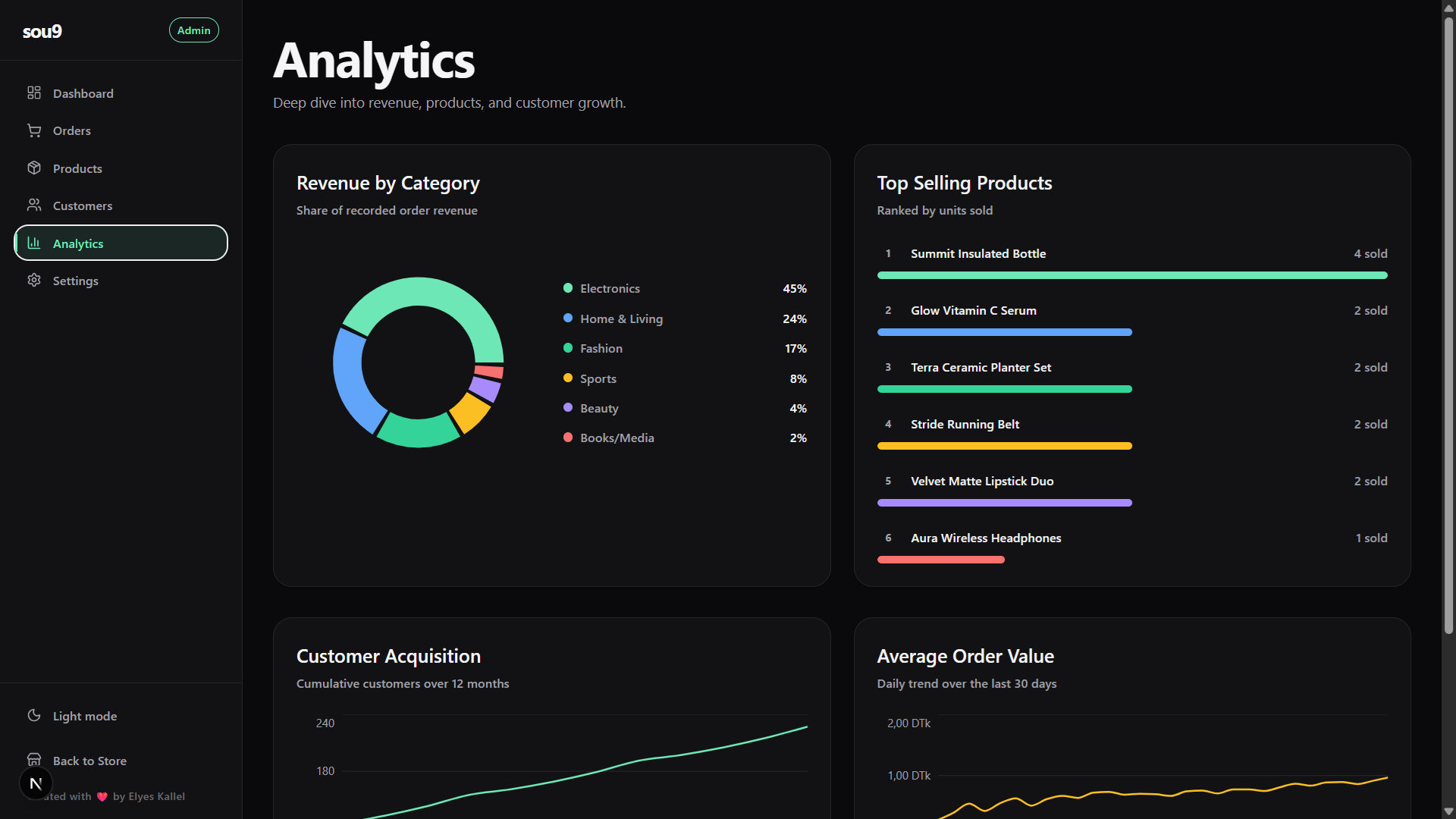
The Analytics dashboard uses Recharts to render beautiful, responsive SVG charts. It aggregates the 30 days of seeded `AnalyticsDay` data to generate revenue trends, conversion rates, and category breakdowns.

The "Revenue by Category" donut chart and "Top Selling Products" bar chart are computed dynamically from the mock order data.

Admin Analytics